15 Cool Things You May Have Missed in Unclutter

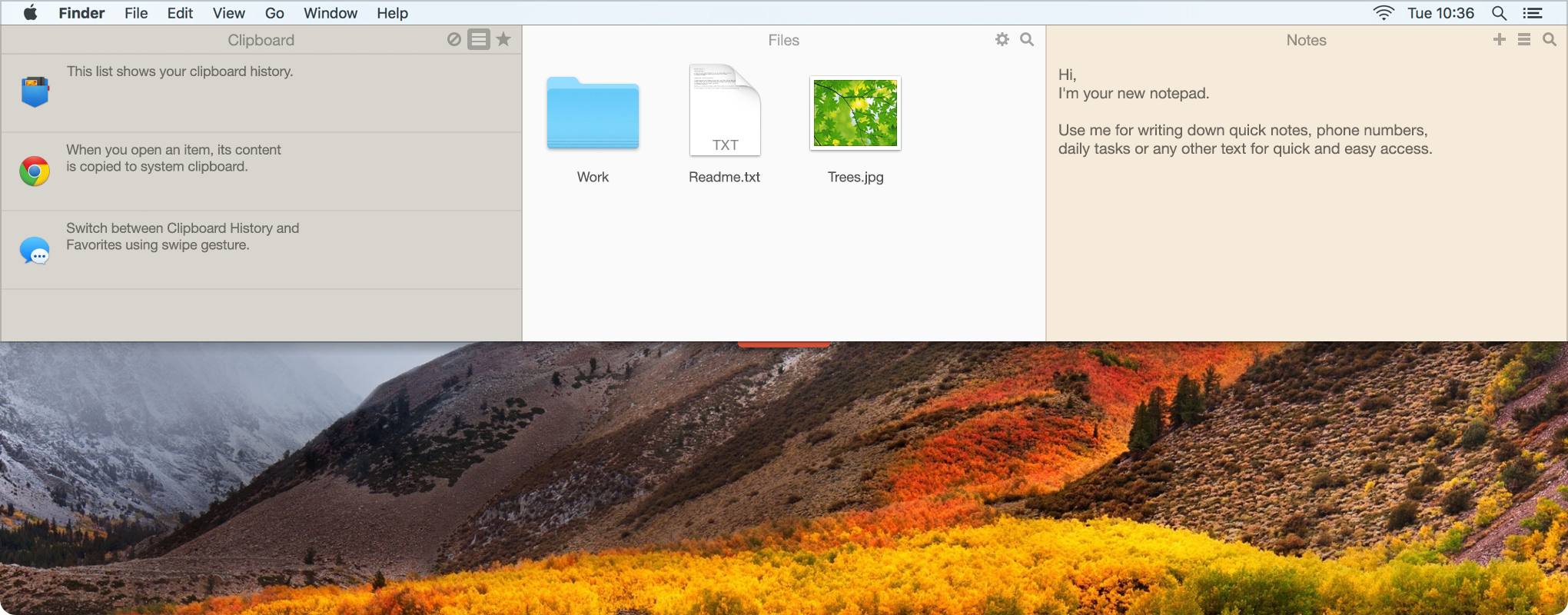
Unclutter for Mac - A list of features, tips & tricks for even more simple and productive workflow

You’ve already been using Unclutter for quite some time and think you know everything about its functionality?
Maybe you’ve tried the app once, didn’t get it and never came back to it?
Or you simply never used Unclutter before?

Doesn’t matter. Today we are going to show you some goodies you could have missed or never knew existed in Unclutter. Including a few popular issues addressed by our users, so you could easily solve them as well.

Best Note Taking App for Mac Accessible in One Single Gesture

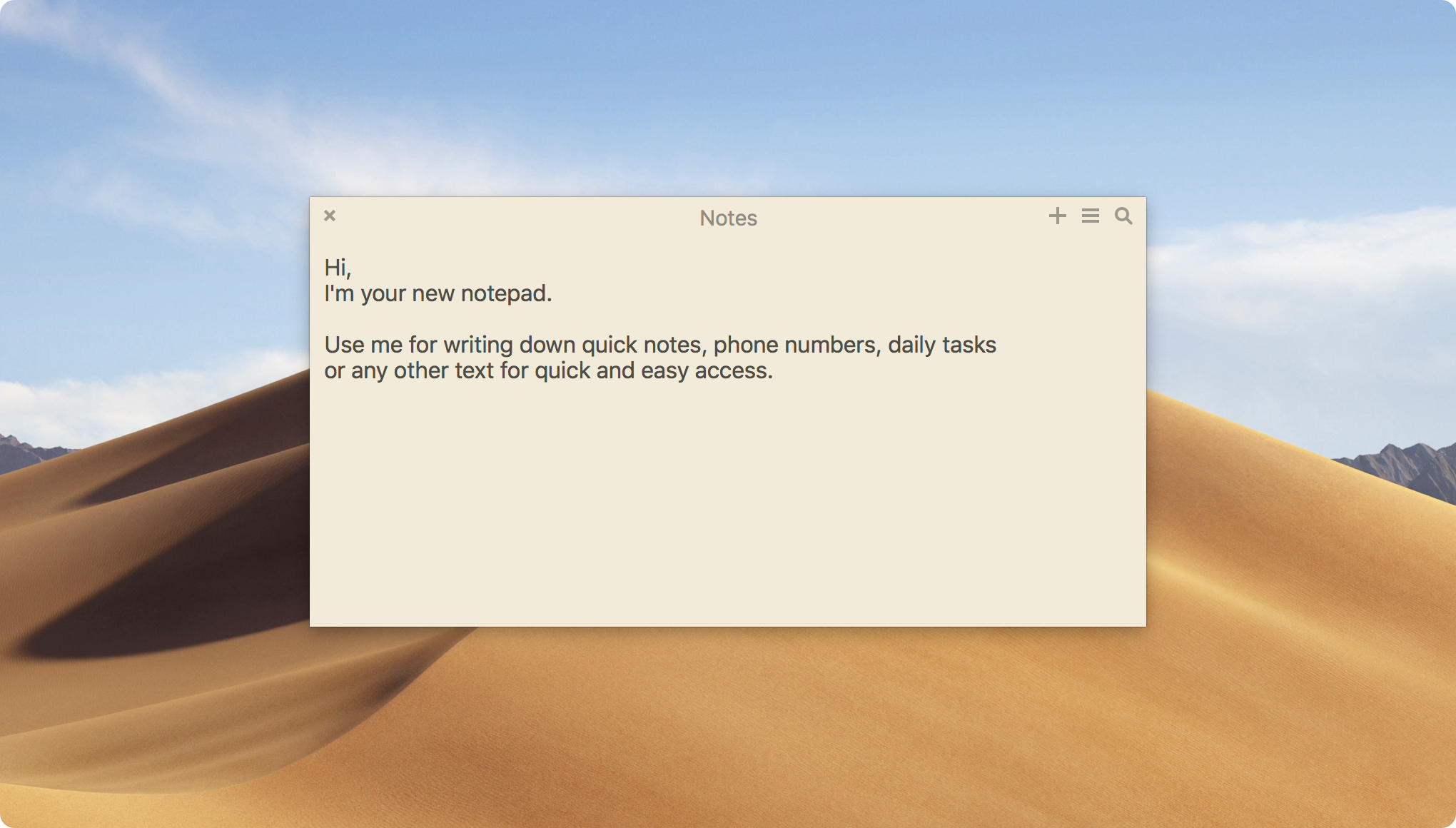
As Simple as Sticky Notes. But Quick & Efficient.
We believe that your Mac notes tool must be near at hand. Like one gesture away. That’s why we designed Unclutter Notes – so that you could start writing a note almost instantly.

Just try it and you’ll see – note taking on Mac can be dead simple, convenient and incredibly fast.
No distraction, no time waisting. Get Unclutter and stay productive.

How to Manage Your Temporary Files & Keep Your Mac Desktop Clean

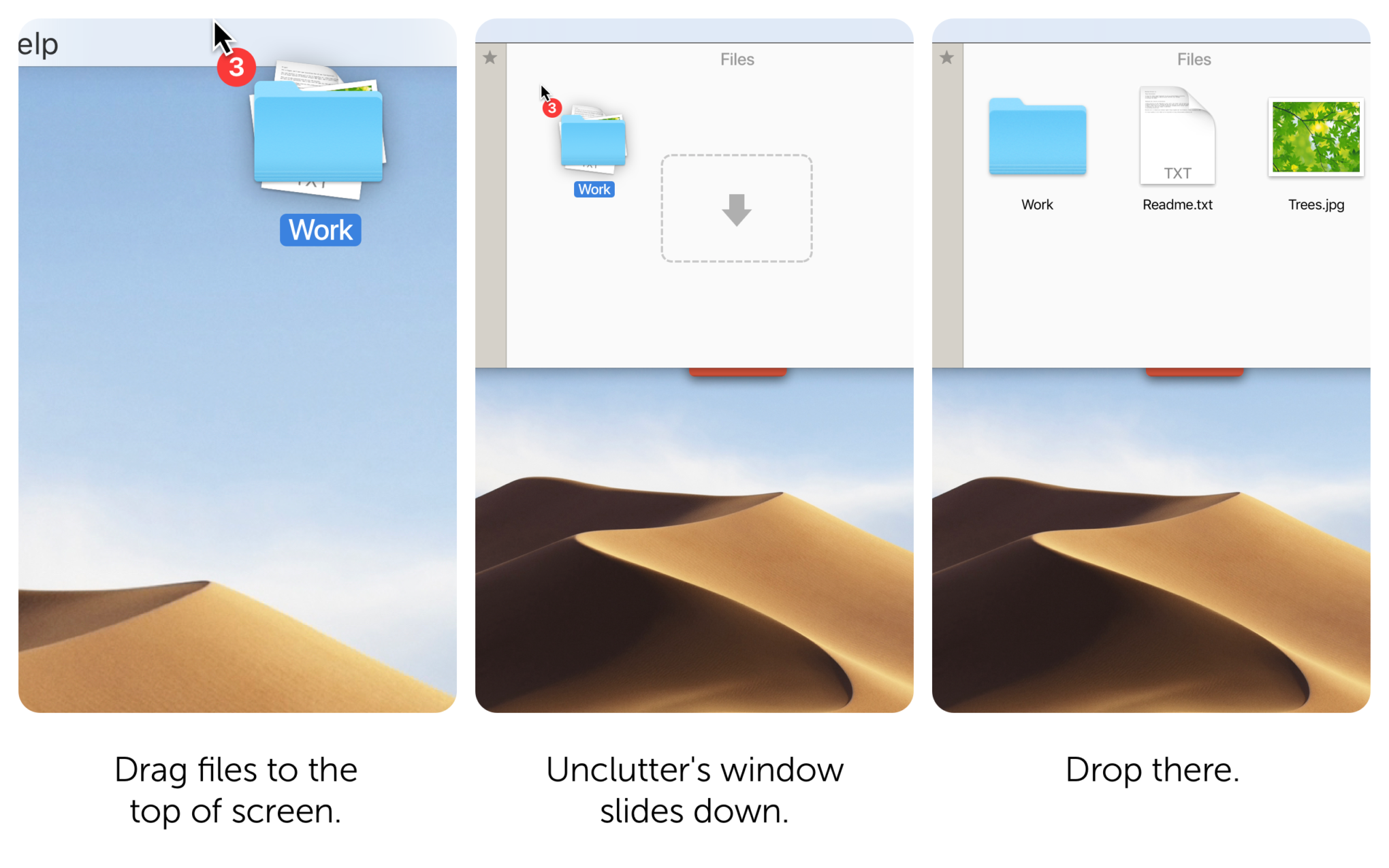
You must be familiar with the situations when you have lots of temporary files to deal with on your Mac. Folders, documents, pictures, screenshots…

Your Desktop is cluttered, files are scattered all over the place. Quite often, it happens on the daily basis.Sooner or later you find yourself in the middle of a hot workflow with plenty of stuff piled up everywhere and no desire to cope with it.

If you have ever asked yourself How to clean up my Mac Desktop? or Where to store temporary files on Mac? — we definitely have something of use for you.